The modern workplace is changing fast, and the right online services for work can make or break your productivity. Remote teams, freelancers, and business owners need digital workplace solutions that actually work—not just add more complexity to their day.
This guide breaks down 10 game-changing productivity tools for business that will transform how you get things done. We’ll explore communication and collaboration platforms that cut through email chaos and keep your team connected. You’ll discover project management services that turn overwhelming task lists into organized workflows anyone can follow. Plus, we’ll cover automation platforms that handle your repetitive work so you can focus on what matters most.
These aren’t just trendy apps—they’re proven remote work platforms that thousands of teams use to work smarter, faster, and with less stress.
Communication and Collaboration Platforms That Streamline Team Workflows

Real-time messaging tools that eliminate email overload
Slack and Microsoft Teams have transformed how teams communicate by replacing endless email chains with organized channels and instant messaging. These team collaboration software platforms allow workers to create topic-specific conversations, share files instantly, and integrate with other business tools. Remote work platforms like Discord and Rocket.Chat offer real-time notifications and threading capabilities that keep discussions focused and searchable. The ability to mention specific team members and create private channels ensures important messages don’t get lost in the noise, making these digital workplace solutions essential for modern businesses.
Video conferencing solutions with advanced screen sharing capabilities
Zoom, Google Meet, and Microsoft Teams have revolutionized remote meetings with crystal-clear video quality and seamless screen sharing features. These productivity tools for business enable teams to conduct virtual presentations, collaborate on documents in real-time, and record sessions for future reference. Advanced features like breakout rooms, whiteboard functionality, and multi-screen sharing make remote collaboration as effective as in-person meetings. The integration capabilities with calendar apps and project management tools create a unified workflow that saves time and reduces meeting fatigue.
Collaborative document editing platforms for seamless teamwork
Google Workspace and Microsoft 365 have changed how teams work on documents by enabling multiple people to edit simultaneously while tracking every change. These cloud-based business services eliminate the confusion of version control and email attachments by providing a single source of truth for all documents. Real-time commenting and suggestion features allow team members to provide feedback without disrupting the original content. The automatic saving and revision history ensure no work gets lost, while sharing permissions control who can view or edit sensitive business documents.
Project Management Services That Transform Task Organization
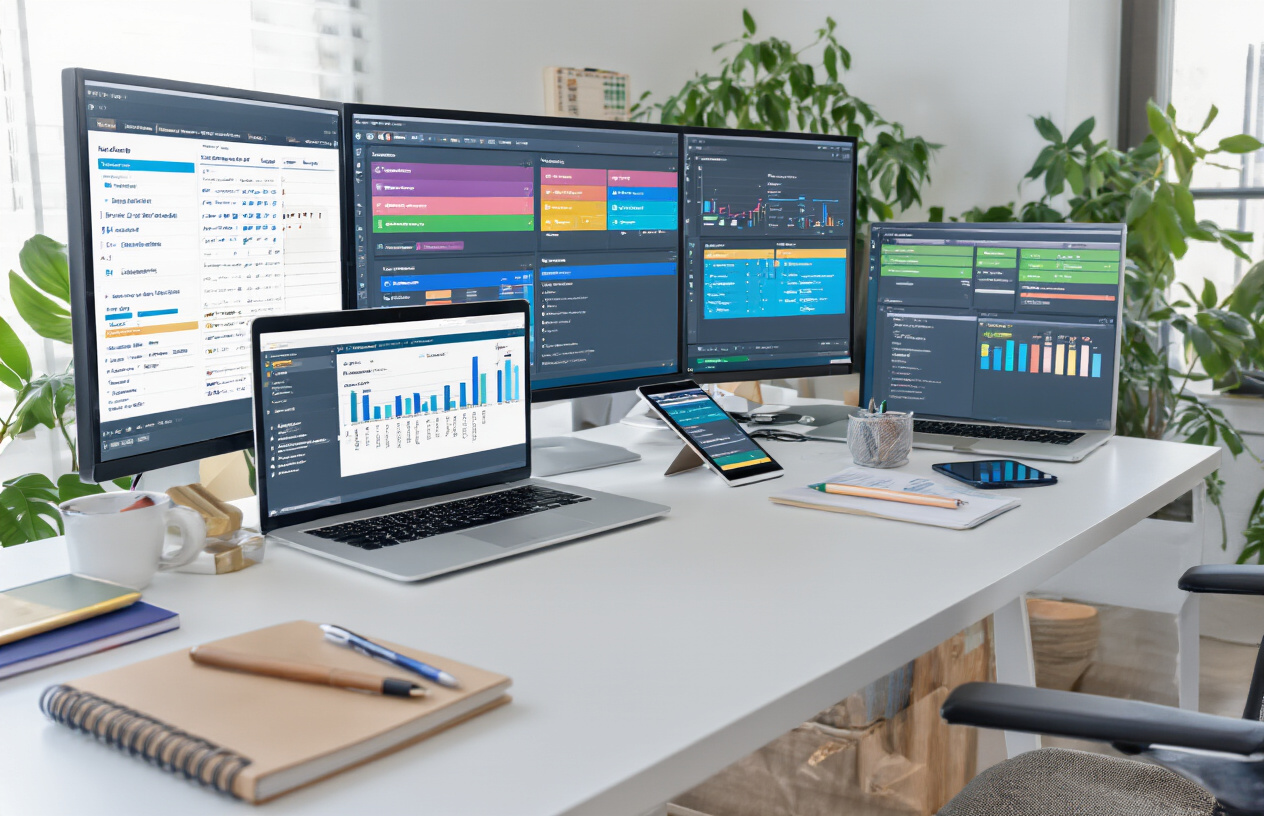
Visual project tracking with customizable workflow boards
Modern project management platforms replace outdated spreadsheets with interactive Kanban boards and customizable workflows that match your team’s unique processes. These visual systems let you drag tasks through different stages, assign team members with color-coded labels, and track project progress at a glance. Popular workflow automation tools like Asana, Trello, and Monday.com offer templates for marketing campaigns, software development, and content creation, making complex projects feel manageable and transparent.
Automated deadline reminders and progress notifications
Smart notification systems keep projects moving without constant manual oversight. These productivity tools for business automatically alert team members about approaching deadlines, overdue tasks, and project milestones through email, mobile push notifications, or integrated chat platforms. You can customize reminder frequencies and escalation rules, ensuring important deliverables never slip through the cracks while avoiding notification fatigue that disrupts deep work sessions.
Resource allocation tools that optimize team capacity
Advanced project management services analyze team workloads and skill sets to prevent burnout and maximize productivity. These digital workplace solutions provide capacity planning dashboards that show who’s overbooked, which projects need additional resources, and where bottlenecks might occur. Resource allocation features help managers distribute tasks based on availability, expertise, and priority levels, creating more balanced workloads and realistic project timelines.
Integration capabilities with existing business tools
Top-tier project management platforms connect seamlessly with your existing tech stack, eliminating data silos and reducing context switching. These cloud-based business services integrate with communication tools like Slack and Microsoft Teams, file storage systems like Google Drive and Dropbox, and time tracking applications. Single sign-on capabilities and robust API connections mean your project data flows automatically between systems, creating a unified workspace that enhances team collaboration software effectiveness.
Cloud Storage Solutions That Revolutionize File Management

Instant file synchronization across all devices
Modern cloud storage solutions keep your files perfectly synced across smartphones, tablets, laptops, and desktops in real-time. Popular cloud-based business services like Dropbox, Google Drive, and Microsoft OneDrive automatically update documents the moment you save changes, ensuring your team always works with the latest version. This seamless synchronization eliminates version confusion and lets remote teams access critical files from anywhere with an internet connection.
Advanced security features protecting sensitive data
Enterprise-grade encryption protects your business files both during transfer and while stored in the cloud. Most professional digital workplace solutions offer two-factor authentication, end-to-end encryption, and compliance with industry standards like SOC 2 and GDPR. Advanced features include automatic backup versioning, ransomware recovery, and activity monitoring that tracks who accessed which files and when. These security layers give businesses confidence to store sensitive client data, financial records, and proprietary documents in the cloud.
Collaborative sharing options with granular permission controls
Smart sharing controls let you decide exactly what each team member can do with your files. You can grant view-only access to clients, editing rights to project collaborators, or full administrative control to department heads. Time-limited sharing links expire automatically, while password protection adds an extra security layer. Team collaboration software features include comment systems, real-time editing capabilities, and approval workflows that streamline document review processes and keep projects moving forward efficiently.
Automation Platforms That Eliminate Repetitive Tasks

Workflow automation connecting multiple apps and services
Modern workflow automation tools like Zapier and Microsoft Power Automate connect your favorite apps without coding knowledge. These platforms create seamless bridges between different software, automatically transferring data from your CRM to your email marketing tool or syncing new leads with your project management system. Set up triggers once and watch repetitive tasks handle themselves.
Smart scheduling tools that handle calendar management
AI-powered scheduling assistants like Calendly and Acuity Scheduling eliminate back-and-forth emails when booking meetings. These smart tools automatically find available time slots, send reminders, and even reschedule appointments when conflicts arise. They integrate with your existing calendar and can handle complex scheduling scenarios like multi-person meetings across different time zones.
Automated data entry and report generation
Data entry automation tools transform how businesses handle information processing. Services like Zapier Tables and Airtable automatically capture data from forms, emails, and other sources, then organize it into structured databases. Advanced platforms can generate reports, charts, and dashboards without manual intervention, saving hours of tedious work while reducing human errors.
Email marketing automation with personalized campaigns
Email automation platforms like Mailchimp and ConvertKit create sophisticated marketing sequences that respond to customer behavior. These systems send welcome emails to new subscribers, follow up with abandoned cart reminders, and deliver personalized content based on past interactions. Smart segmentation ensures the right message reaches the right person at the perfect time.
Time Tracking and Productivity Analytics Services

Detailed activity monitoring with insightful reports
Modern time tracking services capture every click, keystroke, and application switch to reveal exactly where your workday goes. These productivity tools for business generate comprehensive reports showing peak performance hours, task completion rates, and time spent on specific projects. You’ll discover which activities drain energy versus those that generate real results, enabling smarter scheduling decisions.
Distraction blocking features that boost focus
Smart blocking technology identifies your most problematic websites and applications, then restricts access during designated focus periods. These work productivity apps learn your distraction patterns and automatically suggest optimal blocking schedules. Advanced features include website categorization, custom whitelists, and break reminders that maintain healthy work rhythms while eliminating productivity killers.
Goal setting and achievement tracking systems
Built-in goal frameworks help establish realistic daily, weekly, and monthly targets based on historical performance data. These systems track progress in real-time, sending motivational alerts and milestone celebrations to maintain momentum. You can set billable hour targets, project deadlines, or personal productivity goals, with visual dashboards showing exactly how close you are to achieving them.
Customer Relationship Management Tools for Enhanced Client Interactions

Centralized contact management with interaction history
Modern CRM platforms consolidate all customer data into one accessible dashboard, tracking every email, call, and meeting automatically. This comprehensive view helps teams understand client preferences and build stronger relationships through personalized interactions.
Automated follow-up sequences for lead nurturing
Smart automation triggers send targeted messages based on customer behavior and timeline preferences. These cloud-based business services eliminate manual follow-up tasks while maintaining consistent communication, increasing conversion rates through timely, relevant touchpoints that guide prospects through the sales funnel.
Sales pipeline visualization with conversion tracking
Visual pipeline dashboards display deal progress across multiple stages, showing bottlenecks and opportunities instantly. Teams can track conversion rates, identify high-performing strategies, and forecast revenue accurately using real-time analytics that transform raw data into actionable business intelligence.
Customer support ticket management systems
Integrated ticketing systems streamline support requests through automated routing and priority classification. These productivity tools for business enable faster response times, detailed case tracking, and customer satisfaction monitoring, creating seamless support experiences that strengthen client relationships and reduce operational overhead.
Financial Management Platforms That Simplify Business Operations

Automated invoicing with payment processing integration
Modern financial management platforms transform how businesses handle client billing by automatically generating professional invoices and processing payments in real-time. These cloud-based business services eliminate manual invoice creation, reduce payment delays through integrated payment gateways, and provide instant payment notifications. Companies can set up recurring billing cycles, customize invoice templates with branding, and accept multiple payment methods including credit cards, bank transfers, and digital wallets. The automation extends to payment reminders and follow-ups, significantly reducing accounts receivable days and improving cash flow predictability.
Expense tracking with receipt scanning capabilities
Advanced expense management tools use AI-powered receipt scanning to automatically categorize and record business expenses, turning smartphone cameras into powerful productivity tools for business. Employees can snap photos of receipts while traveling, and the software extracts key data like merchant names, amounts, dates, and tax information with remarkable accuracy. These workflow automation tools integrate with corporate credit cards and bank accounts to match transactions automatically, creating comprehensive expense reports that comply with accounting standards. Real-time mileage tracking, multi-currency support, and approval workflows streamline the entire expense management process.
Real-time financial reporting and cash flow analysis
Contemporary financial platforms provide instant access to critical business metrics through interactive dashboards that update automatically as transactions occur. These digital workplace solutions offer customizable reports covering profit and loss statements, balance sheets, cash flow projections, and budget variance analysis. Business owners can monitor key performance indicators, track seasonal trends, and identify potential cash flow issues before they become critical problems. Advanced analytics features include automated financial forecasting, scenario planning tools, and integration with banking systems for real-time account monitoring, empowering data-driven financial decision-making.
Design and Creative Services That Accelerate Visual Content Creation

Template-based design tools for non-designers
Canva and Adobe Express have democratized professional design by offering drag-and-drop interfaces with thousands of templates. These digital workplace solutions eliminate the learning curve traditionally associated with design software, enabling marketing teams, small business owners, and remote workers to create stunning visuals in minutes rather than hours.
Stock photo and video libraries with commercial licensing
Platforms like Shutterstock, Unsplash, and Pexels provide instant access to millions of high-quality images and videos with clear licensing terms. This eliminates the expensive and time-consuming process of custom photography shoots, while ensuring legal compliance for commercial use across marketing campaigns and business communications.
Brand asset management with consistent style guidelines
Services like Brandfolder and Bynder centralize logos, color palettes, fonts, and brand guidelines in cloud-based libraries. Teams can access approved assets instantly, preventing brand inconsistencies that often plague distributed organizations. Version control features ensure everyone uses the latest brand elements, maintaining professional presentation across all touchpoints.
Collaborative design review and approval workflows
Tools like Figma and InVision streamline the feedback process through real-time commenting, version tracking, and stakeholder approval systems. Design iterations that once required lengthy email chains and multiple file versions now happen seamlessly within the platform, accelerating project timelines and reducing miscommunication between creative teams and clients.
Learning and Development Platforms That Boost Professional Skills

On-demand course libraries with industry certifications
Coursera, Udemy, and LinkedIn Learning have transformed professional development by offering thousands of courses that you can take at your own pace. These online services for work provide everything from technical skills like data analysis and programming to soft skills like leadership and communication. What makes them game-changers is their partnership with major universities and tech companies to offer recognized certifications that actually matter on your resume. You can earn Google Career Certificates, IBM badges, or university credentials without stepping foot in a classroom, making continuous learning accessible whether you’re working remotely or juggling multiple projects.
Skill assessment tools with personalized learning paths
Pluralsight and Skillsoft go beyond generic courses by first evaluating your current abilities through comprehensive skill assessments. These productivity tools for business create custom learning roadmaps based on your strengths, weaknesses, and career goals. Instead of guessing what you need to learn, these platforms tell you exactly where you stand and what skills will make the biggest impact on your work. The adaptive learning technology adjusts difficulty levels and suggests specific content, making professional development more efficient and targeted than traditional training methods.
Mentorship matching services with expert guidance
MentorCruise and ADPList connect you with industry experts who can provide one-on-one guidance tailored to your specific career challenges. These digital workplace solutions match you with mentors based on your field, experience level, and goals, creating meaningful professional relationships that go beyond what any course can offer. Having direct access to someone who’s already achieved what you’re working toward provides invaluable insights, networking opportunities, and accountability that accelerates your professional growth in ways that self-paced learning simply can’t match.
Data Analytics and Business Intelligence Services That Drive Decision Making

Real-time dashboard creation with customizable metrics
Modern data analytics platforms transform raw business information into visual dashboards that update automatically. These cloud-based business services let teams track key performance indicators, sales metrics, and operational data in real-time. Custom widgets display everything from revenue streams to customer engagement rates, giving managers instant visibility into what matters most for their specific goals.
Automated report generation with actionable insights
Smart reporting tools eliminate manual data compilation by generating comprehensive reports on schedule. These productivity tools for business analyze patterns, highlight anomalies, and provide clear recommendations for improvement. Weekly sales summaries, monthly performance reviews, and quarterly forecasts arrive ready for decision-making, complete with charts and trend analysis that non-technical team members can easily understand.
Predictive analytics for future trend identification
Advanced analytics platforms use machine learning to forecast business trends and identify upcoming opportunities. These digital workplace solutions process historical data to predict customer behavior, inventory needs, and market shifts. Companies can anticipate seasonal demands, spot emerging risks, and adjust strategies before competitors, turning data into competitive advantage through intelligent pattern recognition and forecasting capabilities.

The digital landscape has completely reshaped how we approach work, and these ten service categories represent the building blocks of modern productivity. From communication platforms that keep teams connected across continents to automation tools that handle the boring stuff while you focus on what matters, each service type addresses a specific pain point that used to drain hours from our workdays. Cloud storage has made “I left it on my other computer” a thing of the past, while project management tools have turned chaotic workflows into organized systems that actually work.
What makes these services truly game-changing isn’t just their individual capabilities – it’s how they work together to create a seamless work experience. When your CRM talks to your project management tool, your time tracker syncs with your invoicing platform, and your analytics dashboard pulls data from everywhere, you’re not just using software anymore – you’re building a work ecosystem that adapts to your needs. Start with one area where you feel the most friction in your current workflow, try out a service that addresses that challenge, and watch how it opens the door to optimizing other parts of your work life too.

Saurabh Kumar is the founder of SaurabhOrbit.com, a hub for tech news, digital marketing insights, and expert blogging advice. With a deep passion for technology and digital strategies, Saurabh simplifies complex trends into actionable insights for readers looking to stay ahead in the digital world. My mission is to empower entrepreneurs, tech enthusiasts, and marketers with the latest tools and knowledge to thrive in the online space.