Getting your website to rank #1 on Google isn’t just luck—it’s a strategic process anyone can master with the right approach.
This blueprint is designed for business owners, marketers, and content creators who want to drive more organic traffic and outrank their competition without relying on expensive ads or guesswork.
You’ll discover how to conduct keyword research that uncovers high-impact opportunities your competitors are missing. We’ll walk through creating content that search engines love and users actually want to read. Plus, you’ll learn the technical SEO fundamentals that can make or break your rankings, from on-page optimization to building authority through quality backlinks.
By the end, you’ll have a clear roadmap to climb the search results and claim that coveted top spot for your target keywords.
Master Keyword Research for Maximum Search Visibility
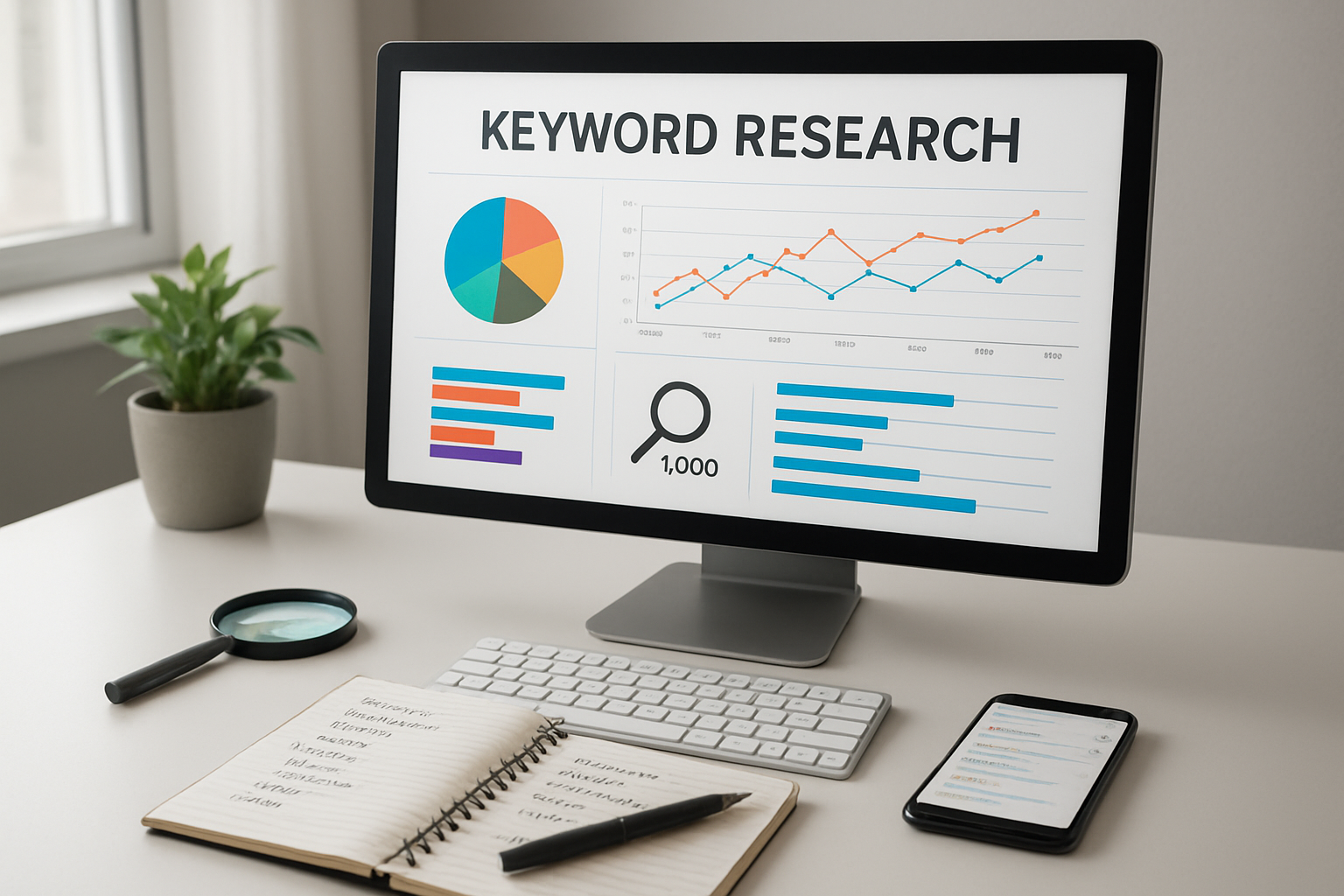
Identify High-Value Target Keywords with Commercial Intent
Start by focusing on keywords that signal buying intent. These are search terms where users are ready to make a purchase or take action. Look for keywords containing phrases like “buy,” “best,” “review,” “pricing,” “discount,” or “compare.” These high-commercial-intent keywords typically convert better and drive valuable traffic to your site.
Use keyword research tools like SEMrush, Ahrefs, or Google Keyword Planner to uncover these golden opportunities. Filter your results by commercial intent metrics and focus on keywords with strong buyer signals. For example, “best CRM software for small business” shows much higher commercial intent than “what is CRM software.”
Pay attention to question-based keywords too. Searches like “which laptop should I buy” or “how to choose the right insurance policy” often indicate users in the consideration phase of their buying journey. These searchers are actively evaluating options and comparing solutions.
Analyze Competitor Keywords to Find Content Gaps
Your competitors have already done much of the heavy lifting in keyword research. Study their top-performing pages to discover which keywords drive their organic traffic. Tools like Ahrefs’ Site Explorer or SEMrush’s Organic Research feature reveal exactly which keywords your competitors rank for.
Look for keywords where your competitors rank on page 2 or 3 – these represent immediate opportunities. If they’re ranking but not dominating, you can create better content and steal those rankings. Also identify keywords where multiple competitors rank well, as this indicates strong search demand.
Create a competitor keyword gap analysis by comparing your keyword profile against 3-5 main competitors. This reveals keywords they’re targeting that you’ve completely missed. These gaps often represent your biggest growth opportunities.
Use Long-Tail Keywords to Capture Specific Search Queries
Long-tail keywords contain three or more words and account for roughly 70% of all search queries. While they have lower search volumes individually, they’re easier to rank for and often have higher conversion rates due to their specificity.
Target long-tail variations of your main keywords. If your primary keyword is “email marketing,” create content around long-tail variations like “email marketing automation for e-commerce stores” or “email marketing best practices for SaaS companies.” These specific phrases face less competition and attract highly targeted visitors.
Use Google’s autocomplete feature and “People also ask” section to discover natural long-tail keyword variations. Type your main keyword into Google and note the suggested completions – these represent real searches people are making.
Prioritize Keywords Based on Search Volume and Competition
Create a keyword priority matrix using search volume, competition level, and relevance to your business goals. High-volume, low-competition keywords should be your top priority, but don’t ignore lower-volume keywords that perfectly match your target audience’s needs.
Consider keyword difficulty scores from tools like Moz or Ahrefs, but remember these are estimates. Sometimes a keyword appears difficult but has weak competition on the first page. Manually review the top 10 results to assess the real competition level.
Balance short-term wins with long-term growth. Target some easier keywords you can rank for quickly to build momentum, while also pursuing harder, high-value keywords that will drive significant traffic over time. This mixed approach ensures consistent progress in your SEO efforts.
Create Content That Dominates Search Results

Write Comprehensive Content That Answers User Questions
Search intent drives everything in modern SEO. When someone types a query into Google, they’re looking for specific answers, solutions, or information. Your content needs to deliver exactly what they want – and then some.
Start by mapping out every possible question your target audience might have around your topic. Use tools like AnswerThePublic, Google’s “People also ask” section, and related searches to uncover these queries. Don’t just scratch the surface – dig deep into the nuances and variations of what people are asking.
Create content that addresses the primary question in your title, but also anticipates and answers related questions throughout your article. This approach keeps readers engaged longer and signals to Google that your content provides comprehensive value. When users find everything they need in one place, they stop searching – which is exactly what search engines want to see.
Quality beats quantity every time, but comprehensive coverage of a topic requires depth. Include real examples, case studies, actionable steps, and practical advice. Address common misconceptions, provide context for complex topics, and offer different perspectives when relevant.
Structure Content with Strategic Header Tags and Formatting
Header tags create a roadmap for both readers and search engines. Think of them as the skeleton of your content – they need to be logical, hierarchical, and descriptive.
Your H1 tag should contain your primary keyword and clearly state what the page is about. Use only one H1 per page. H2 tags break your content into major sections, while H3 and H4 tags create subsections within those areas.
Here’s how to structure headers effectively:
- H1: Primary topic with main keyword
- H2: Major sections covering different aspects of the topic
- H3: Subsections that dive deeper into H2 topics
- H4: Specific points or examples within H3 sections
Beyond headers, formatting plays a crucial role in user experience and SEO. Use bullet points and numbered lists to break up dense information. Bold important phrases and keywords naturally within your content. Add white space between paragraphs to make reading easier on screens.
Tables work great for comparisons, statistics, or step-by-step processes. They’re easy to scan and often get featured in rich snippets. Short paragraphs of 2-3 sentences keep readers moving through your content without feeling overwhelmed.
Optimize Content Length for Your Target Keywords
Content length isn’t about hitting arbitrary word counts – it’s about providing enough depth to thoroughly cover your topic while matching user expectations and search intent.
Different types of queries demand different content lengths:
| Search Intent | Typical Length | Example |
|---|---|---|
| Quick answers | 300-800 words | “How to reset password” |
| How-to guides | 1,500-3,000 words | “Complete guide to email marketing” |
| In-depth topics | 2,500+ words | “Digital marketing strategy for 2024” |
| Product reviews | 1,000-2,000 words | “Best project management tools” |
Research your competition to understand what’s currently ranking. Look at the top 10 results for your target keyword and analyze their content length, depth, and structure. You don’t need to write the longest article, but you do need to provide the most value.
Quality indicators matter more than raw word count. Google can detect thin content that’s been artificially lengthened with fluff. Every paragraph should serve a purpose and add value for readers. If you can fully answer the search query in 800 words, don’t stretch it to 2,000 just because competitors have longer articles.
Focus on topic coverage rather than word count. A shorter piece that thoroughly addresses user needs will outrank longer content that meanders or includes irrelevant information. Monitor your analytics to see how users engage with different content lengths and adjust your strategy based on actual performance data.
Execute On-Page SEO Like a Pro

Craft Click-Worthy Title Tags That Include Your Target Keyword
Your title tag is the first thing searchers see in search results, making it your most important ranking factor and conversion tool. Google displays roughly 50-60 characters of your title tag, so every word counts.
Place your primary keyword near the beginning of the title tag to maximize its impact. Search engines give more weight to keywords that appear earlier, and users scan from left to right. A title like “SEO Tips: 10 Proven Strategies to Boost Rankings” performs better than “10 Proven Strategies to Boost Rankings with SEO Tips.”
Create emotional hooks that compel clicks. Numbers work exceptionally well – “7 Ways,” “Complete Guide,” or “Ultimate Blueprint” grab attention. Power words like “proven,” “secret,” “ultimate,” and “essential” increase click-through rates by up to 13%.
Avoid keyword stuffing at all costs. Google penalizes titles that repeat keywords unnecessarily. Instead of “SEO Services | Best SEO Company | SEO Experts,” use “Professional SEO Services That Drive Real Results.”
Brand inclusion depends on your recognition level. Established brands should include their name at the end: “Complete SEO Guide | YourBrand.” Newer businesses can skip branding to maximize keyword space.
Write Compelling Meta Descriptions That Boost Click-Through Rates
Meta descriptions don’t directly impact rankings, but they significantly influence whether people click your result. Google displays up to 160 characters, giving you a valuable opportunity to sell your content.
Write meta descriptions like ad copy. Include your primary keyword naturally, but focus on benefits rather than features. Instead of “This article covers SEO techniques,” write “Discover the exact SEO strategies that helped us increase organic traffic by 300% in six months.”
Use active voice and actionable language. Start with verbs like “discover,” “learn,” “get,” or “find.” Create urgency with phrases like “before your competitors do” or “in just 30 days.”
Include secondary keywords when they fit naturally. This helps capture related searches and makes your snippet more relevant to diverse user intents.
Address user pain points directly. If someone searches “how to fix slow website,” your meta description should acknowledge their frustration: “Stop losing visitors to slow load times. These proven techniques will speed up your site in under an hour.”
Optimize URL Structure for Search Engine Crawling
Clean, descriptive URLs help search engines understand your content and improve user experience. Google prefers shorter URLs that clearly indicate page content.
Use hyphens to separate words, never underscores. Search engines treat hyphens as word separators but view underscores as word connectors. “seo-tips” reads as two words, while “seo_tips” reads as one.
Keep URLs under 60 characters when possible. Shorter URLs are easier to share, remember, and crawl. Remove unnecessary words like “the,” “and,” “of,” unless they’re essential for clarity.
Include your target keyword in the URL, but avoid repetition. If your title tag contains your keyword, your URL should complement it, not repeat it exactly. For a post about “local SEO tips,” use “/local-seo-strategies/” rather than “/local-seo-tips-guide-complete/”
Create a logical hierarchy that matches your site structure. Use categories and subcategories: “/marketing/seo/keyword-research/” tells both users and search engines exactly where they are in your site architecture.
Avoid dynamic parameters when possible. URLs with question marks, ampersands, and long strings of numbers look suspicious to users and can confuse search engines.
Implement Internal Linking to Boost Page Authority
Internal linking distributes page authority throughout your site and helps search engines discover and understand your content relationships. Strategic internal links can boost individual page rankings by 40% or more.
Link to relevant pages using descriptive anchor text that includes target keywords. Instead of “click here” or “read more,” use “complete keyword research guide” or “advanced SEO techniques.” This tells search engines what the linked page covers.
Follow the 3-click rule – users should reach any page within three clicks from your homepage. This improves user experience and ensures search engines can crawl your entire site efficiently.
Create topic clusters by linking related content together. Group your content around main topics (pillar pages) and link supporting articles (cluster content) back to the main page. This establishes topical authority and improves rankings for entire content groups.
Balance your internal linking ratio. Don’t overwhelm readers with too many links, but don’t be stingy either. Aim for 2-5 contextual internal links per 1,000 words, focusing on links that genuinely help readers.
Link from high-authority pages to newer content. Your homepage, popular blog posts, and resource pages carry the most link equity. Strategic links from these pages can significantly boost new content rankings.
Update old content with links to new pages. When you publish fresh content, go back to relevant older posts and add contextual links. This creates a web of interconnected content that search engines love.
Build Powerful Backlinks That Boost Your Rankings

Secure High-Authority Guest Posting Opportunities
Guest posting remains one of the most effective ways to build quality backlinks when done right. The key lies in targeting websites that already have established authority in your niche rather than accepting any opportunity that comes your way.
Start by creating a list of 50-100 high-authority websites in your industry. Use tools like Ahrefs or SEMrush to check their Domain Rating (DR) or Domain Authority (DA) – aim for sites with scores above 40. Look for websites that regularly publish guest content and have engaged audiences that align with your target market.
Your outreach strategy makes all the difference. Avoid generic templates that scream “mass email.” Instead, spend time reading recent articles on each target site, understand their content style, and reference specific pieces in your pitch. Show genuine interest in their audience and explain exactly how your proposed content will add value.
When crafting your guest post, focus on delivering exceptional value rather than promotional content. Share actionable insights, original research, or unique perspectives that readers can’t find elsewhere. Include 1-2 contextual links back to your site within the content, and make sure they genuinely enhance the reader’s experience.
Build relationships with editors and site owners beyond just single guest posts. Engage with their content on social media, share their articles, and offer to help with their content needs. This approach often leads to multiple guest posting opportunities and stronger backlink profiles over time.
Create Link-Worthy Resources That Attract Natural Backlinks
Natural backlinks happen when other websites voluntarily link to your content because it provides genuine value to their audience. Creating link-worthy resources requires understanding what content naturally attracts links in your industry.
High-Impact Resource Types:
| Resource Type | Link Attraction Potential | Time Investment | Examples |
|---|---|---|---|
| Original Research | Very High | High | Industry surveys, data studies |
| Comprehensive Guides | High | Medium | Ultimate guides, tutorials |
| Free Tools | Very High | High | Calculators, generators |
| Infographics | Medium | Medium | Data visualizations |
| Templates | High | Low | Checklists, worksheets |
Original research and data-driven content consistently attract the most backlinks. Conduct surveys in your industry, analyze trends, or compile statistics that don’t exist elsewhere. When you publish unique insights, journalists, bloggers, and researchers naturally cite your work as a source.
Comprehensive guides that cover topics in extraordinary detail also earn numerous backlinks. Think beyond basic “how-to” articles – create the definitive resource that people bookmark and reference repeatedly. Include practical examples, case studies, and actionable steps that readers can implement immediately.
Free tools and calculators generate consistent link attraction because they provide ongoing value. A mortgage calculator, ROI calculator, or industry-specific tool becomes a resource that people link to whenever they discuss related topics.
Promote your link-worthy content strategically. Share it in relevant online communities, reach out to people who’ve linked to similar content, and engage with influencers who might find your resource valuable. The goal is getting initial traction that leads to natural discovery and linking.
Leverage Broken Link Building to Replace Dead Links
Broken link building offers a win-win opportunity – you help website owners fix broken links while earning quality backlinks for your site. This strategy works because broken links create poor user experiences, and most site owners appreciate when someone alerts them to these issues.
Use tools like Check My Links (Chrome extension) or Broken Link Checker to find broken links on high-authority websites in your niche. Focus on resource pages, link roundups, and older blog posts that are more likely to have outdated links.
When you find broken links, check what the original linked content covered using the Wayback Machine. Create content that matches or improves upon the original resource. Your replacement content should provide equal or greater value than what was previously linked.
Effective Broken Link Outreach Template Structure:
- Subject line that mentions helping with their website
- Brief introduction and genuine compliment about their content
- Specific mention of the broken link with exact URL
- Suggestion of your replacement content with clear value proposition
- Offer to help find other issues if needed
Best Practices for Success:
- Personalize each outreach email
- Focus on genuinely helping rather than just getting links
- Ensure your replacement content is truly valuable
- Follow up politely if you don’t hear back within a week
- Keep detailed records of your outreach efforts
Target websites with strong domain authority and relevant audiences. A single broken link replacement on a high-authority site can be worth more than dozens of low-quality backlinks. Quality always trumps quantity in broken link building campaigns.
Track your success rates and refine your approach based on what works. Some industries respond better to certain outreach styles, and understanding these nuances improves your results over time.
Optimize Technical SEO for Search Engine Success

Improve Page Loading Speed for Better User Experience
Page speed directly impacts your search rankings and user satisfaction. Google considers loading time as a ranking factor, with faster sites getting preference in search results. Users abandon pages that take longer than 3 seconds to load, creating a double penalty for slow websites.
Start by measuring your current speed using Google PageSpeed Insights or GTmetrix. These tools provide specific recommendations for improvement. Common speed killers include oversized images, excessive plugins, and bloated code.
Image optimization represents the quickest win. Compress images using tools like TinyPNG or convert them to modern formats like WebP. Resize images to match their display dimensions rather than relying on CSS scaling.
Minify your code by removing unnecessary characters, spaces, and comments from HTML, CSS, and JavaScript files. Enable GZIP compression on your server to reduce file transfer sizes by up to 70%.
Choose quality web hosting that matches your traffic needs. Shared hosting might save money initially but creates performance bottlenecks as your site grows. Consider upgrading to VPS or dedicated hosting for better speed consistency.
Ensure Mobile-First Design and Responsiveness
Google switched to mobile-first indexing, meaning the mobile version of your site determines your rankings. Your mobile experience must be flawless, not just functional.
Test your site on multiple devices and screen sizes. Use Google’s Mobile-Friendly Test tool to identify specific issues. Common problems include clickable elements too close together, text too small to read, and horizontal scrolling requirements.
Responsive design principles include flexible grid layouts that adapt to different screen sizes. Use relative units like percentages and ems instead of fixed pixel values. Media queries help apply different styles based on device characteristics.
Touch navigation needs special attention. Make buttons and links large enough for finger taps (minimum 44px). Provide adequate spacing between clickable elements to prevent accidental clicks.
Page loading becomes even more critical on mobile networks. Mobile users often deal with slower connections, making speed optimization essential for mobile success.
Fix Crawl Errors and Indexation Issues
Search engines must crawl and index your pages before they can rank them. Crawl errors prevent this process, essentially making your content invisible to search engines.
Google Search Console reveals crawl errors affecting your site. Common issues include 404 errors from broken links, server errors (5xx status codes), and redirect chains that confuse crawlers.
Fix broken internal links by updating them to point to correct pages or removing them entirely. External broken links should be removed or replaced with working alternatives. Use tools like Screaming Frog to identify link issues across your entire site.
XML sitemaps guide search engines to your important pages. Submit your sitemap to Google Search Console and Bing Webmaster Tools. Keep sitemaps updated when you add new content or remove old pages.
Robots.txt files control which pages search engines can access. Review your robots.txt to ensure you’re not accidentally blocking important content. Use the robots.txt tester in Google Search Console to verify proper configuration.
Monitor your indexation status regularly. Use the “site:” search operator to see which pages Google has indexed. If important pages aren’t appearing, investigate potential indexation barriers.
Implement Schema Markup for Rich Snippets
Schema markup helps search engines understand your content context, leading to enhanced search result displays called rich snippets. These enhanced listings grab more attention and often achieve higher click-through rates.
JSON-LD format is Google’s preferred method for implementing schema markup. Add this structured data to your page’s HTML head section. Popular schema types include articles, products, reviews, local businesses, and events.
Product pages benefit from product schema including price, availability, and review ratings. Article schema helps news sites and blogs display publication dates, author information, and article headlines in search results.
Local businesses should implement local business schema with address, phone number, hours of operation, and customer ratings. This information often appears in Google’s local pack results.
Google’s Structured Data Testing Tool validates your markup implementation. Test your pages after adding schema to ensure proper formatting and identify any errors that might prevent rich snippets from appearing.
Don’t over-optimize with schema markup. Focus on accurate, relevant structured data that genuinely describes your content rather than trying to game the system.
Secure Your Site with HTTPS Protocol
HTTPS encryption protects data transmitted between your website and visitors’ browsers. Google treats HTTPS as a ranking signal and Chrome browsers display security warnings for non-secure sites.
SSL certificates enable HTTPS functionality. Many hosting providers offer free SSL certificates through Let’s Encrypt. Purchase certificates from trusted providers for e-commerce sites handling sensitive customer data.
Implementation steps include obtaining your SSL certificate, installing it on your server, and updating your site to use HTTPS URLs. Update internal links, canonical tags, and sitemaps to reference HTTPS versions.
Set up 301 redirects from HTTP to HTTPS versions of your pages. This preserves your search rankings while ensuring visitors always access the secure version of your site.
Mixed content warnings occur when HTTPS pages load HTTP resources like images or scripts. Audit your site for mixed content issues and update all resources to use HTTPS URLs.
Monitor your HTTPS implementation using Google Search Console. Check for security errors and verify that Google is crawling and indexing your HTTPS pages correctly.
Monitor Performance and Continuously Improve Rankings

Track Keyword Rankings and Organic Traffic Growth
Setting up proper tracking systems is your first line of defense against ranking drops and your best tool for spotting new opportunities. Google Search Console should be your primary dashboard – it’s free, accurate, and gives you direct insights from Google itself about your site’s performance.
Connect Google Analytics 4 to get a complete picture of how organic traffic converts into actual business results. Look beyond just rankings and traffic numbers. Track which keywords drive the highest-quality visitors, longest session durations, and best conversion rates.
Use tools like Ahrefs, SEMrush, or Moz to monitor your position changes daily. Set up automated reports that email you weekly summaries, but don’t panic over daily fluctuations – Google’s rankings naturally shift based on various factors.
Create a simple spreadsheet tracking your top 20 target keywords monthly. Include metrics like:
| Metric | Why It Matters |
|---|---|
| Average Position | Shows ranking trends |
| Search Volume | Indicates opportunity size |
| Click-Through Rate | Reveals title effectiveness |
| Landing Page | Identifies top performers |
Focus on tracking featured snippet opportunities. These “position zero” results can dramatically increase your click-through rates even when you’re not ranking #1 for the main keyword.
Analyze User Behavior Metrics to Identify Optimization Opportunities
Your visitors’ behavior tells a story that rankings alone can’t capture. Bounce rate, time on page, and pages per session reveal whether your content actually satisfies search intent.
Google Analytics 4’s Engagement Overview shows which pages keep visitors engaged longest. Pages with high organic traffic but poor engagement signals need immediate attention – they might be ranking well but failing to deliver value.
Heat mapping tools like Hotjar or Crazy Egg reveal where users click, scroll, and abandon your pages. If people consistently leave at the same section, you’ve found a content gap that needs fixing.
Page speed impacts both user experience and rankings. Use Google PageSpeed Insights to identify specific technical issues slowing down your site. Core Web Vitals have become ranking factors, so poor loading speeds directly hurt your search visibility.
Monitor internal search queries if your site has a search function. When visitors search your site for topics you haven’t covered, you’ve discovered content opportunities that your audience actually wants.
Watch for patterns in your most successful pages. Do they share similar word counts, formatting, or content structures? Use these insights to optimize underperforming pages.
Update and Refresh Content to Maintain Relevance
Search engines favor fresh, current content, and your competitors aren’t standing still. Set up a content refresh schedule based on your content’s shelf life – news topics need updates monthly, while evergreen content might only need annual refreshes.
Start with your highest-traffic pages that have declined in rankings over the past six months. Often, adding new sections, updating statistics, or expanding on popular subtopics can restore and improve their performance.
Add new internal links between related posts as you publish more content. This distributes ranking power throughout your site and helps search engines understand your content relationships better.
Monitor industry changes and algorithm updates that affect your niche. When Google releases major updates, audit your content against new ranking factors and user expectations.
Repurpose successful content into different formats. Turn popular blog posts into videos, infographics, or downloadable guides. This creates more entry points for organic traffic while reinforcing your topical authority.
Update your meta descriptions and title tags based on current search trends. Use Google Search Console’s performance data to identify pages with low click-through rates despite good rankings – these often need better titles or descriptions.
Check your competitors’ content regularly. When they publish comprehensive guides on topics you’ve covered briefly, it’s time to expand your own content to match or exceed their depth.
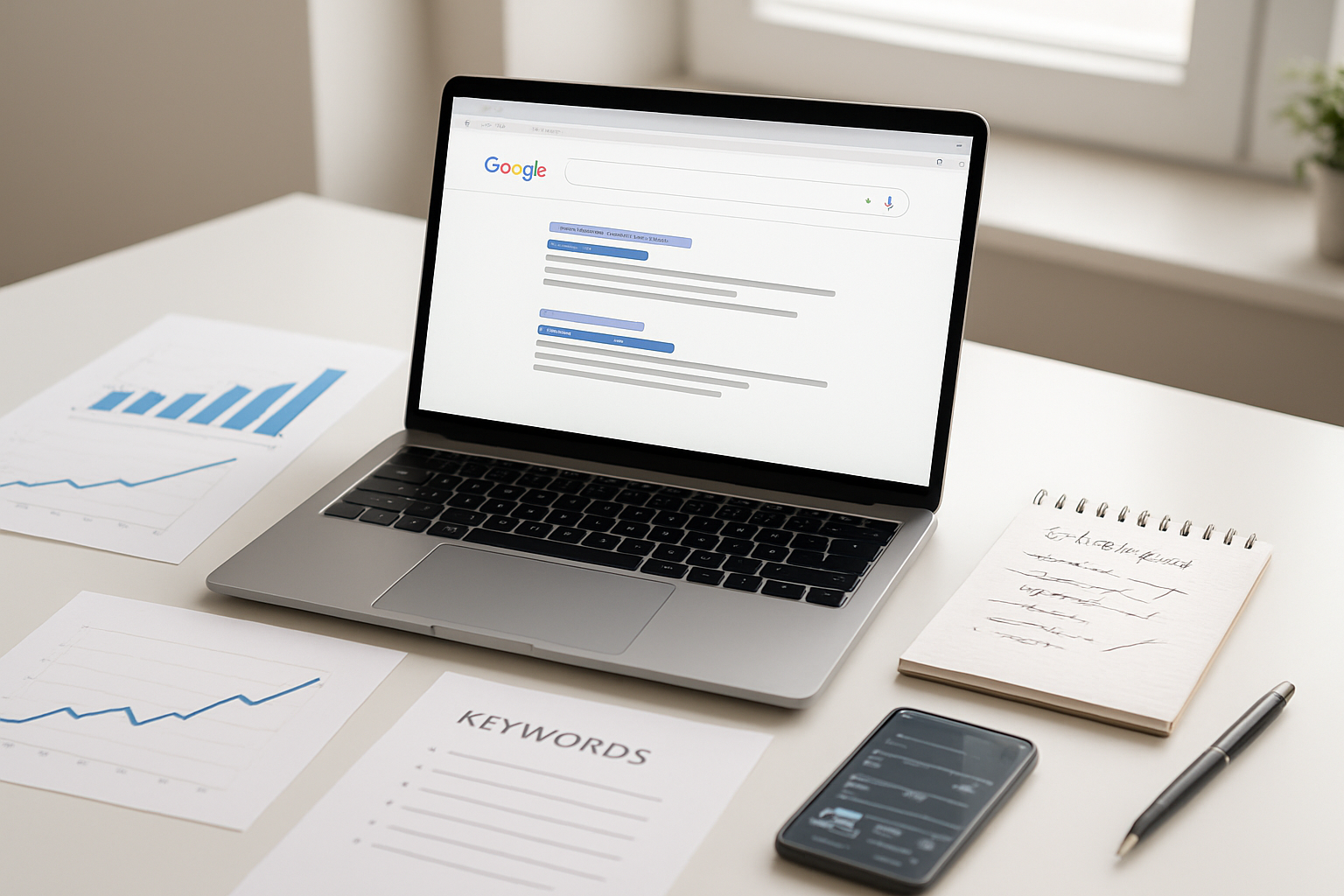
Getting to the top of Google search results doesn’t happen overnight, but following this roadmap will get you there. You now have the complete toolkit: keyword research that targets what people actually search for, content that answers their questions better than anyone else, on-page optimization that makes search engines love your pages, backlinks that show you’re trustworthy, technical SEO that keeps everything running smoothly, and performance tracking that helps you stay ahead of the competition.
Start with keyword research and build from there – don’t try to tackle everything at once. Pick one area, master it, then move to the next. Google rewards websites that consistently deliver value to users, so focus on creating helpful content while implementing these strategies. Keep monitoring your progress and adjusting your approach based on what the data tells you. Ranking #1 isn’t just about getting more traffic; it’s about becoming the go-to resource in your field.

Saurabh Kumar is the founder of SaurabhOrbit.com, a hub for tech news, digital marketing insights, and expert blogging advice. With a deep passion for technology and digital strategies, Saurabh simplifies complex trends into actionable insights for readers looking to stay ahead in the digital world. My mission is to empower entrepreneurs, tech enthusiasts, and marketers with the latest tools and knowledge to thrive in the online space.